How Event ID Card Printers Can Transform Your Event Check-In Experience
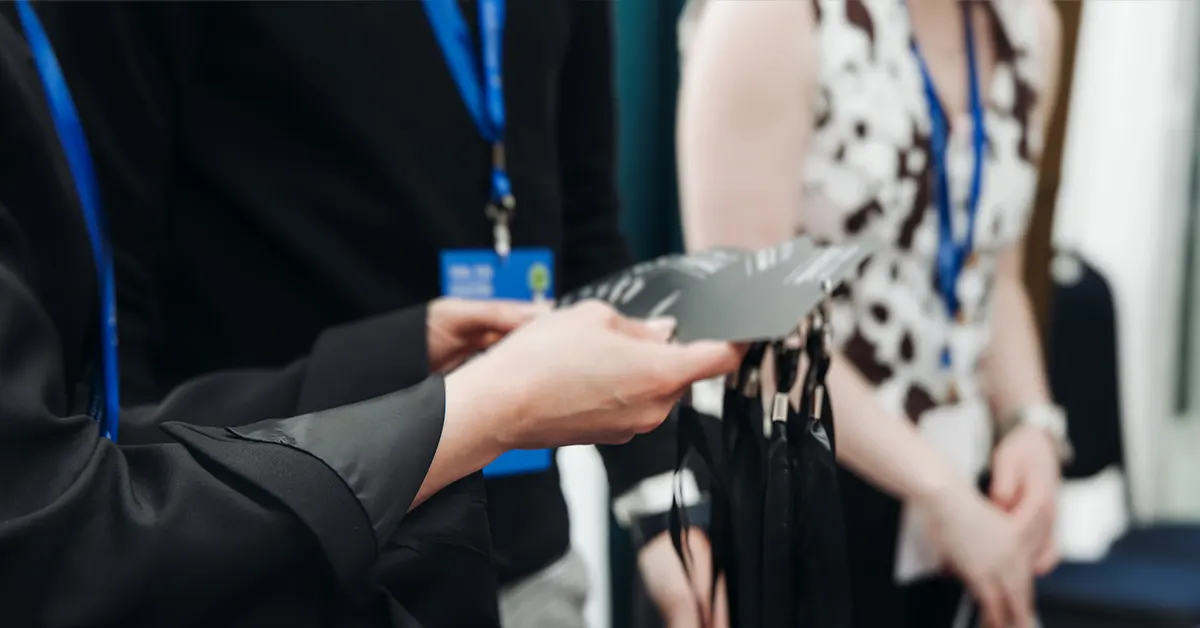
Whether you’re organizing a trade show, corporate conference, music festival, or community event, the first impression you make on attendees often starts at check-in. One tool that’s quietly becoming essential for events of all sizes? Event ID card printers — specialized printers designed to produce high-quality badges, passes, and credentials on demand.
Why Use an Event ID Card Printer?
Event ID card printers let you produce professional, customized badges that make attendees, staff, vendors, and VIPs instantly recognizable. On a basic level, they take your event IDs from static, generic paper badges to durable, vivid, brandable cards — right on site.
Here’s what they can do:
- Professional badges, every time: Add photos, logos, names, and titles in sharp, full-color quality.
- On-demand printing: Produce badges instantly as people arrive — no stacks of pre-printed cards to sort through.
- Customization for all roles: Designates staff, speakers, VIPs, press, performers, or special access holders clearly and professionally.
- Security upgrades: With the right printer, you can even add QR codes, barcodes, or RFID for access control and attendance tracking.
On-Site Badge Printing vs. Pre-Printing
Traditionally, badges were printed in advance and sorted alphabetically before events — an approach that often leads to:
- Long check-in lines
- Errors from last-minute registrations
- Wasted badges when guests don’t show up
Modern on-site printing fixes all of these — attendees check in and get their personalized badge in seconds, significantly speeding up lines and improving the event experience.
Features to Look for in an Event ID Card Printer
When choosing an ID card printer for your event, consider these key features:
1. Print Quality & Color Options
Look for printers capable of high-resolution, full-color prints — especially if branding and badge readability are priorities.
2. Badge Size & Format
Some printers support oversized badges, perfect for festivals or VIP credentials where space for logos and access designations matters.
3. Connectivity & Integration
Make sure your printer connects easily to your event registration software — whether via USB, network, or cloud integration — so badge data flows smoothly from registration to badge.
4. On-Site Flexibility
For last-minute registrations or name changes, having a reliable on-site printer means zero stress and more flexibility.
Top Use Cases for Event ID Card Printers
Event card printers are versatile and valuable in a wide range of settings:
- Conferences & Trade Shows: Print attendee and exhibitor badges that look professional and help networking.
- Festivals & Concerts: Produce laminated event access credentials — great for VIP, press, and backstage passes.
- Corporate Meetings: Ensure staff and guest badges clearly show roles, departments, or access privileges.
- Workshops & Seminars: Give participants badges that help with session access and networking.
Comparison table of key Event ID Card Printers
| Printer Model | Print Type / Format | Resolution (DPI) | Best For | Key Features | Warranty |
|---|---|---|---|---|---|
| Zebra ZC10L | Single-sided, large format | Standard | High-volume corporate & trade show badge printing | Durable event badges; sharp colors | 1-year (printer & printhead) |
| Canon CX-G6400 | Inkjet, oversized | 1200 dpi | Professional look for mid/large events | Prints paper and PVC cards, multiple badge sizes | 1-year |
| Epson ColorWorks CW-C4000 | 4? color label printer | 1200 dpi | Low- to mid-volume events | Auto cutter, good for batch printing | 1-year |
| 2XLnext Accreditation Printer | Oversized plastic badges | 300 dpi | Festivals, expos & accreditation badges | Large badges; optional RFID/Mifare encoding | 2-year |
| Epson ColorWorks CW-C6000 | 4? label printer | 1200 dpi | Mid- to high-volume badge printing | Auto cutter or peeler options | 1-year |
1. Corporate Events
For conferences, internal leadership summits, annual meetings, and professional workshops:
Recommended Printer Type: High-Quality Digital & Professional Printers
These deliver crisp, professional badges with branding, names, and roles — critical for corporate image and security.
Best Fits:
-
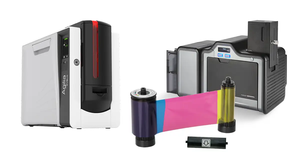
Zebra ZC10L Single Sided ID Card Printer
- Ideal for pre-printing badges or on-site badge production in larger volumes.
- Professional quality with strong brand recognition.
-
Canon CX-G6400 4? Digital Inkjet Color Printer
- High-quality 1200 dpi prints — ideal for name, logo, and even QR/Barcode inclusion.
- Supports standard badge and customized sizes.
Why These Work Well
- Sleek, professional badges enhance brand presence.
- High resolution supports name, title, and QR codes for session access and tracking.
Use case tip: If the event includes secure areas or tiered access, choose a printer that supports on-demand printing to issue or reissue credentials quickly on site.
2. Trade Shows & Exhibitions
For large crowds, multiple participant types (exhibitor, attendee, press, VIP), and high-volume printing:
Recommended Printer Type: Batch or High-Volume Printers + Oversized Badge Printers
Trade shows often need fast, high-volume printing and high visibility badges.
Best Fits:
-
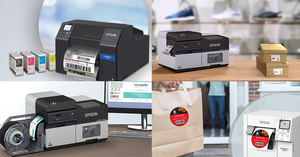
Epson ColorWorks CW-C6500 / CW-C6000 Series
- Mid- to high-volume wide format printing.
- Auto cutter or peeler — great for batch pre-printing or on-site needs.
-
Epson ColorWorks CW-C8000
- Premium option for high-volume, high-speed, and vibrant printing.
- Ideal for large trade shows with multiple badge categories.
-
2XLnext Accreditation Printers (Oversized Badges)
- Designed specifically for large format badges (VIP, exhibitor credentials).
- Optional RFID support for access control.
Why These Work Well
- Wide format printing produces easily readable badges in crowded environments.
- High throughput supports peak check-in times.
- Big badge designs are easier for scanners and quick ID.
Non-Profit & Fundraising Events
For galas, charity runs, community festivals, and donor recognition events:
Recommended Printer Type: Compact & Flexible Badge Printers
These events need versatility and professional look on limited budgets.
Best Fits:
-
Epson ColorWorks CW-C4000
- Great balance of cost, quality, and flexibility for smaller badge runs.
- Works well for donor, volunteer, and VIP badges.
-
2XCR100next High Security Printer
- Ideal when security, access control or volunteer credentialing matters.
- Optional RFID/Mifare encoding.
Why These Work Well
- Compact and simple enough for small teams to manage without IT support.
- Delivers professional badges that enhance donor experience without excessive complexity.
Use case tip: Oversized badges can boost event branding and visibility for sponsors, which is especially valuable for nonprofit fundraising.
Selection Factors (Quick Checklist)
When choosing the best printer for your event, consider:
- Badge Volume – Higher throughput printers for big events.
- Badge Size – Standard vs. oversized for visibility.
- Print Quality (dpi) – Higher resolution for detailed logos, photos, QR codes.
- Connectivity – Easy software integration or direct printing from registration systems.
- Security Features – RFID/encoding if access control is needed.
- On-Site vs. Pre-Printing Needs – Some models better suited for batch pre-printing.
Final Recommendation
- Small Events / Budget-Focused - Epson ColorWorks CW-C4000
- Mid-Size Corporate or Community Events - Canon CX-G6400 or Epson CW-C6500
- Large Trade Shows / High Volume - Epson CW-C8000 or 2XLnext
- Security / Access Control Emphasis - 2XCR100next with RFID
4. Plan for Fast, Smooth Check-In
A strong badge printing workflow reduces lines and frustration:
- Sync registration and printing systems: Connect your event management software with the badge printer to eliminate manual data entry and typos.
- Run test prints beforehand: Test badges off-site to avoid technical issues on event day.
- Have spare supplies: Always stock extra blank cards, lanyards, ribbons, and even a backup printer if possible.
- Train check-in staff: Ensure your team knows how to operate the printers and troubleshoot common problems quickly.
- Consider self-service kiosks: For large crowds, self-print kiosks can dramatically speed up check-in.
5. Consider Sustainability and Efficiency
- Print only what you need onsite to reduce waste — a major benefit over mass pre-printing.
- Explore eco-friendly badge materials (e.g., recycled plastic, biodegradable stocks) to align with sustainability goals.
6. Use Data & Analytics to Improve Future Events
- When integrated with badge printing, QR codes and scanners can capture data on session attendance, booth visits, and access patterns.
- Post-event analytics helps you refine badge designs, printing workflows, and check-in processes next time.
Good badge printing is more than a logistics task — it’s a strategic part of event experience and security that can make attendees feel welcomed and safe. By combining thoughtful design, the right printing strategy (pre-print vs. on-site vs. hybrid), strong security features, and streamlined check-in best practices, your event can run smoother from the very first handshake.