Magicard ID Card Printers
Magicard ID Card Printers are easy to use, reliable, and highly secure, with fast printing capabilities providing an efficient solution for id card printing needs.
Magicard ID Card Printers stand out in the market due to their durability, user-friendly nature, and top-notch security features. These printers are designed to cater to all your ID Badging needs, offering high-definition printing for both single and double-sided cards. These high-definition single or dual-sided printers offer a seamless, user-friendly experience to provide fast and durable ID Card printing. What sets these printers apart is the innovative HoloKote technology, an exclusive patented and cost-free watermark-like feature that adds a dynamic layer of protection to your cards.
- Mac-compatible ID Card Printers
- Price match guarantee
- Free shipping on all orders.
- Refine By:
-
-
-
-
Compare available models
Choose the right printer configuration
Review output, volume, encoding, connectivity, and security options, then open a model to compare available configurations.

WHAT ARE THE DIFFERENT MODELS OF MAGICARD ID CARD PRINTERS?
Compare these Magicard printer families for new ID card projects:
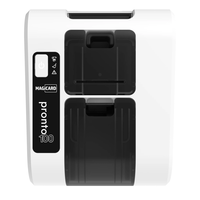
- Pronto100: A compact single-sided direct-to-card printer with automatic card feeding, HoloKote visual security and digital shredding.
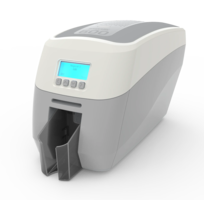
- Magicard 300: Direct-to-card printing with single- or dual-sided configurations, HoloKote watermarks and encoding options.
- Magicard 600: Direct-to-card printing for detailed badge designs, with visual security features and optional encoding.
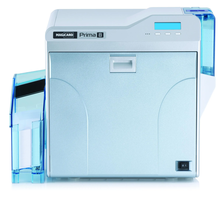
- Prima 8: Retransfer printing for over-the-edge card designs, with encoding and lamination configurations available.
WHICH FEATURES SHOULD I CONSIDER WHEN BUYING A MAGICARD ID CARD PRINTER?
Choose a printer around your card design, daily volume and required security features:
- Printing sides: Pronto100 prints one side. Select the appropriate single- or dual-sided configuration of the Magicard 300, Magicard 600 or Prima 8 for your project; upgrade options vary by model.
- Card handling: Pronto100 has a 50-card input hopper and a hand-feed option. For larger batches, compare the capacity and throughput of the 300, 600 and Prima 8.
- Printing technology: Direct-to-card models suit everyday badges. Prima 8 retransfer printing covers the card edges and is useful for supported smart cards.
- Connectivity and encoding: Check the exact printer SKU for USB, Ethernet, magnetic-stripe or smart-card encoding requirements.
WHAT ARE THE HOLOKOTE AND HOLOPATCH FEATURES?
HoloKote® adds a visible security watermark using the overlay panel of a compatible printing ribbon. Pronto100, Magicard 300 and Magicard 600 offer HoloKote, with standard and custom-design options depending on the model.
HoloPatch® cards have a reflective gold patch that makes a compatible HoloKote watermark easier to see. This requires the correct HoloPatch card stock.
Check the printer, ribbon and card combination before ordering. These visual security features help authenticate a badge; they do not replace access-control encoding or guarantee that a card cannot be copied.